



When project management applications are genuinely optimized for macOS, workflows accelerate, tracking precision tightens, and cross-functional teams remain synchronized. To help organizations identify the ideal platform, an exhaustive evaluation of the leading project management software for Mac users was conducted. Utilizing hands-on testing, software feature audits, user feedback, and architectural reviews, this analysis examines the top solutions available in the market today—ranking them by capability, mobile optimization, cost-effectiveness, and real-world utility.

Detailed Chronology & Market Evolution
The project management software (PMS) landscape has transformed dramatically over the past ten years. Historically dominated by desktop-bound, on-premises Gantt charting tools, the sector evolved into cloud-first SaaS platforms in the mid-2010s. This shift democratized access, allowing Windows and Mac users alike to access centralized project dashboards via web browsers.
However, web-wrapped applications often failed to provide the snappiness and resource-efficient performance expected by macOS power users. By the late 2010s and early 2020s, top-tier vendors began investing heavily in dedicated macOS desktop applications built using frameworks like Electron or native Swift/Catalyst code. Simultaneously, mobile device integration expanded beyond basic notification centers to include full-featured iOS, iPadOS, and watchOS applications.

Today, the market features specialized tools ranging from lightweight, kanban-focused applications like Trello to enterprise-grade resource hubs like Wrike and Smartsheet. The modern evolution emphasizes not just task assignment, but AI-driven automation, real-time analytics, and deep ecosystem cross-compatibility.
Comprehensive Software Evaluations & Top Mac Contenders
1. ClickUp: Best Overall Mac Project Management Software
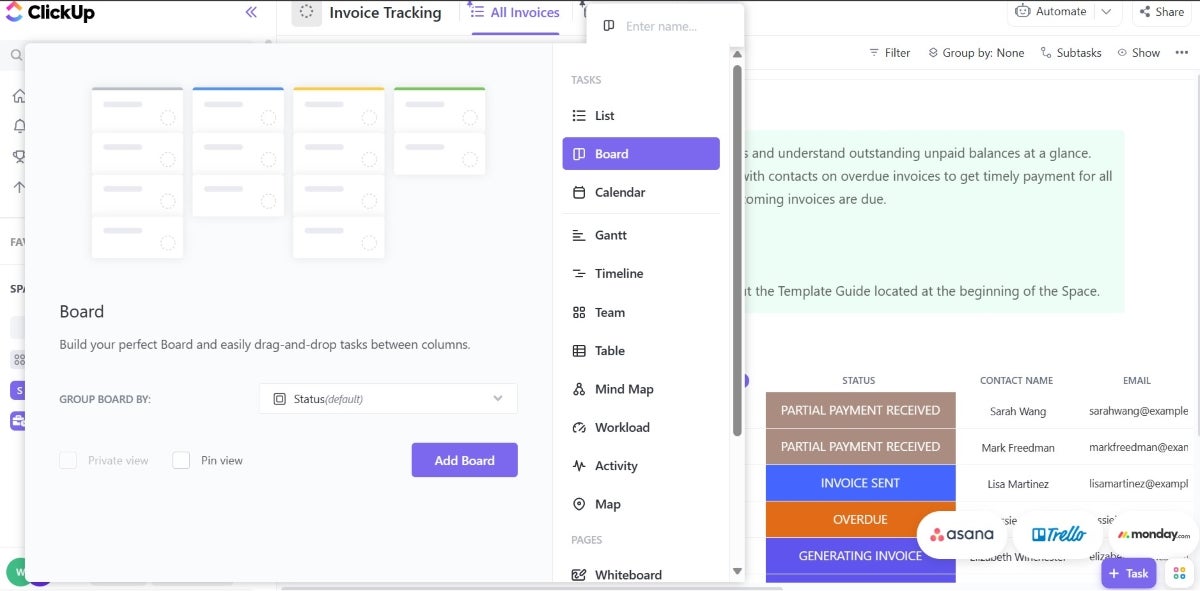
ClickUp secures the top position by successfully balancing deep functionality with a user-friendly architecture. It serves as an all-in-one workspace encompassing file sharing, status updates, native time tracking, and customizable task management.
- Ecosystem Compatibility: ClickUp offers a robust app ecosystem supporting iPhone, iPad, and Apple Watch (watchOS 7.5+), making it one of the most backward-compatible tools for older Apple hardware.
- Pricing & Value: Starting at $7 per user, per month (billed annually), it offers one of the most generous free tiers in the industry, including multiple project views (such as Gantt charts) that competitors typically lock behind enterprise paywalls.
- Pros: 24/7 live support, extensive customizability, and multiple workflow views.
- Cons: Potential interface learning curve for beginners and occasional performance bugs reported during heavy data rendering.
2. Smartsheet: Best for Data-Driven Project Tracking & Reporting
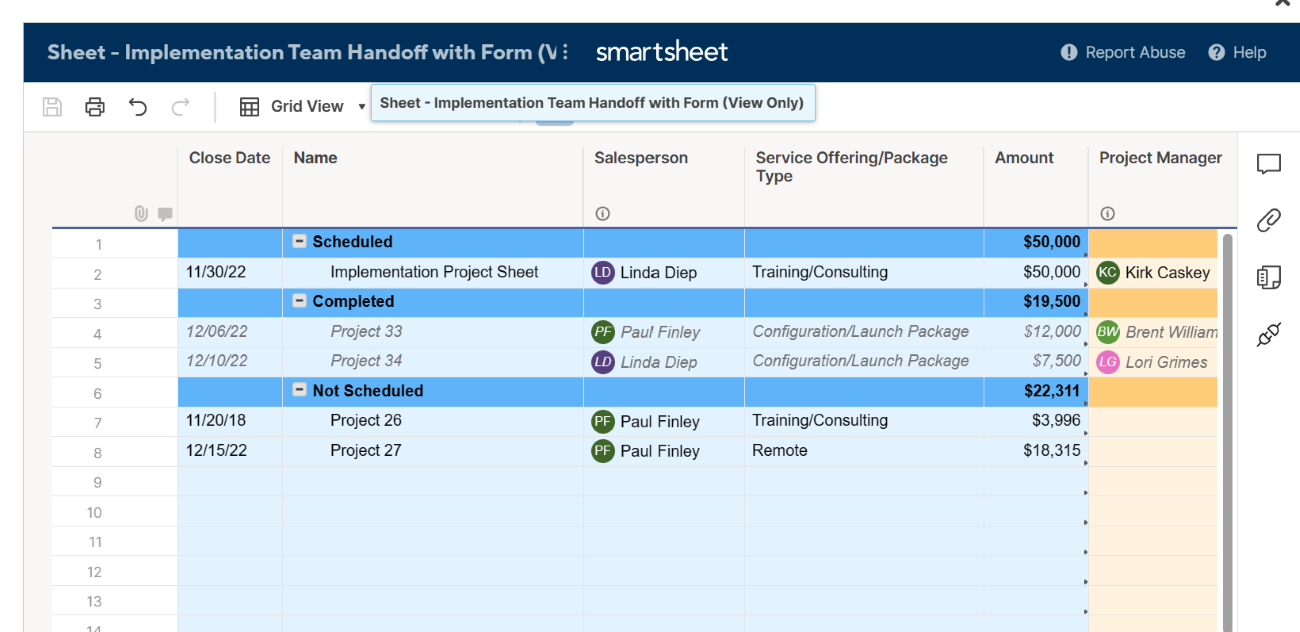
For organizations driven by metrics, financials, and heavy numerical reporting, Smartsheet bridges the gap between traditional spreadsheets and advanced project management.

- Core Strengths: Real-time dashboards, row reports, and sheet summary reports allow project managers to monitor budgets, resource allocation, and timelines instantly.
- System Requirements: Requires iOS 15.0 and iPadOS 15.0 or later.
- Pricing: Begins at $9 per user, per month (billed annually).
- Pros: Familiar spreadsheet interface combined with powerful dashboard customizability.
- Cons: Important features often require add-ons, and the heavy reliance on tabular data can overwhelm non-technical team members.
3. monday.com: Best for Versatility and Ease of Setup
monday.com stands out for its high adaptability across diverse industries, allowing teams of varying technical expertise to construct visual workflows with minimal friction.
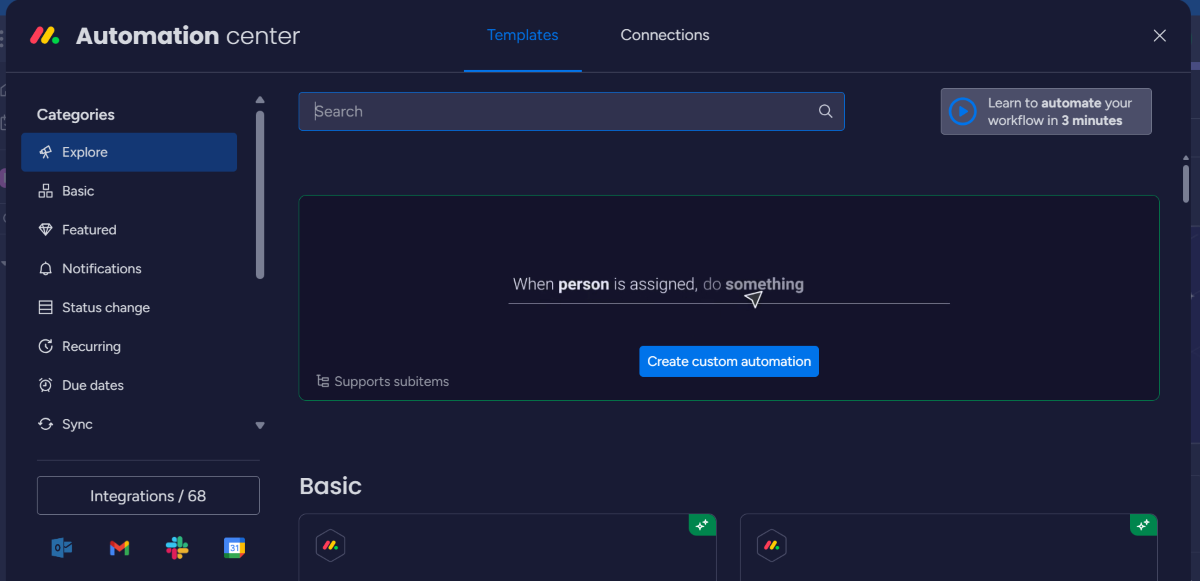
- Core Strengths: Highly visual timeline views with task dependencies, robust automation center, and an intuitive drag-and-drop interface.
- Pricing: Starts at $9 per seat, per month (billed annually).
- Pros: Fast setup, colorful and intuitive UI, and comprehensive feature sets included even in lower tiers.
- Cons: Native reporting capabilities can feel restricted compared to dedicated analytics platforms.
4. Asana: Best for Scalability
Asana combines enterprise-grade scalability with a polished native desktop experience for macOS.

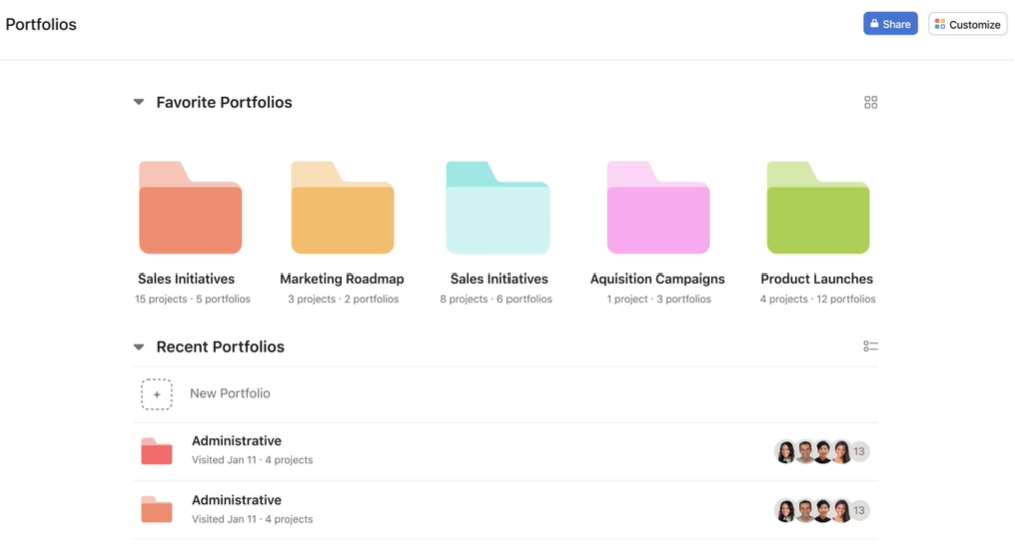
- Core Strengths: Powerful portfolios, robust cross-project analytics, and advanced workflow automation.
- System Requirements: Requires iOS 16.0 or later for optimal mobile functionality.
- Pricing: Starts at $10.99 per user, per month (billed annually).
- Pros: Highly scalable for growing organizations; exceptional analytics.
- Cons: Can become expensive for small businesses, and the user interface can occasionally lag when handling massive data sets.
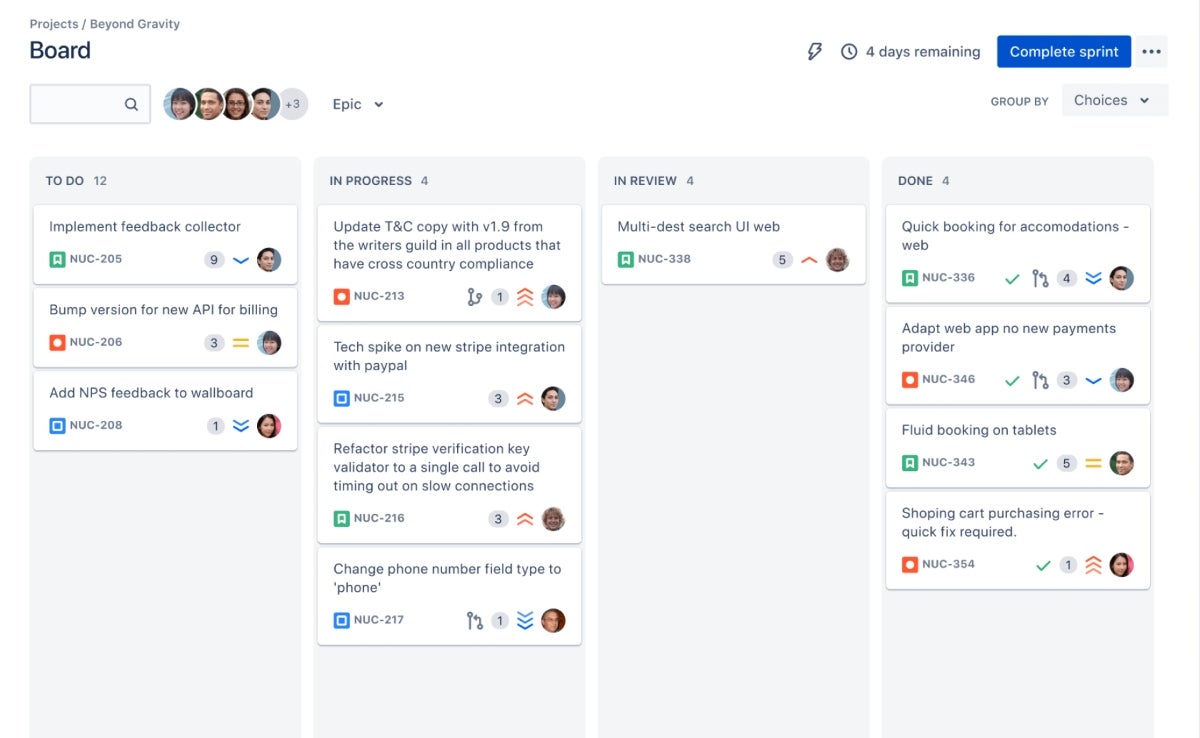
5. Wrike: Best for Complex Team Collaboration
Wrike is engineered for complex, enterprise-level projects requiring multi-tiered visibility and stringent cross-departmental coordination.
- Core Strengths: Multi-tiered visualization tools (Gantt, Kanban, waterfall schematics) and rapid data syncing.
- Pricing: Starts at $10 per user, per month.
- Pros: Excellent project visibility and robust offline mode capabilities.
- Cons: Steep learning curve and a mobile app experience that trails behind its desktop counterpart.
6. Jira: Best for Software Development Teams
Developed by Atlassian, Jira remains the gold standard for agile software engineering teams operating within macOS environments.

- Core Strengths: Unrivaled issue tracking, backlog management, sprint planning, and deep integration within the Atlassian developer ecosystem.
- Pricing: Starts at $7.91 per user, per month.
- Pros: Highly responsive, exceptional bug and issue tracking.
- Cons: Overly complex for non-technical teams or small, creative projects.
7. Trello: Best Free Project Management Software
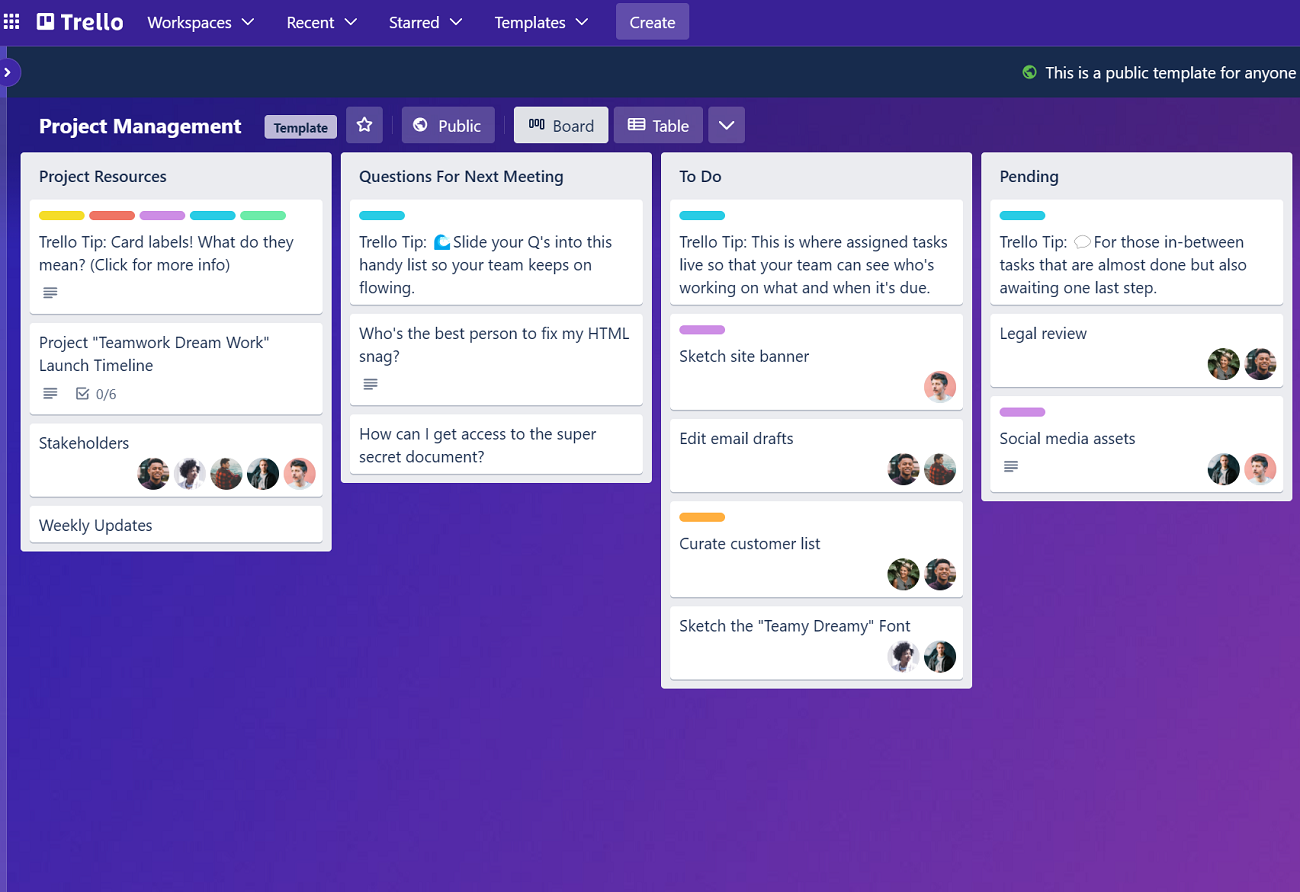
Trello utilizes a kanban-centric design philosophy that turns project boards into digital corkboards, making visual task management effortless.
- Core Strengths: Drag-and-drop card movement, simple team collaboration, and a rich free plan.
- Pricing: Free tier available; paid plans start at $5 per user, per month (billed annually).
- Pros: Unrivaled kanban flexibility and extremely low barrier to entry.
- Cons: Lacks native time-tracking and advanced resource management tools without third-party add-ons.
8. Teamwork: Best for Client-Facing Operations
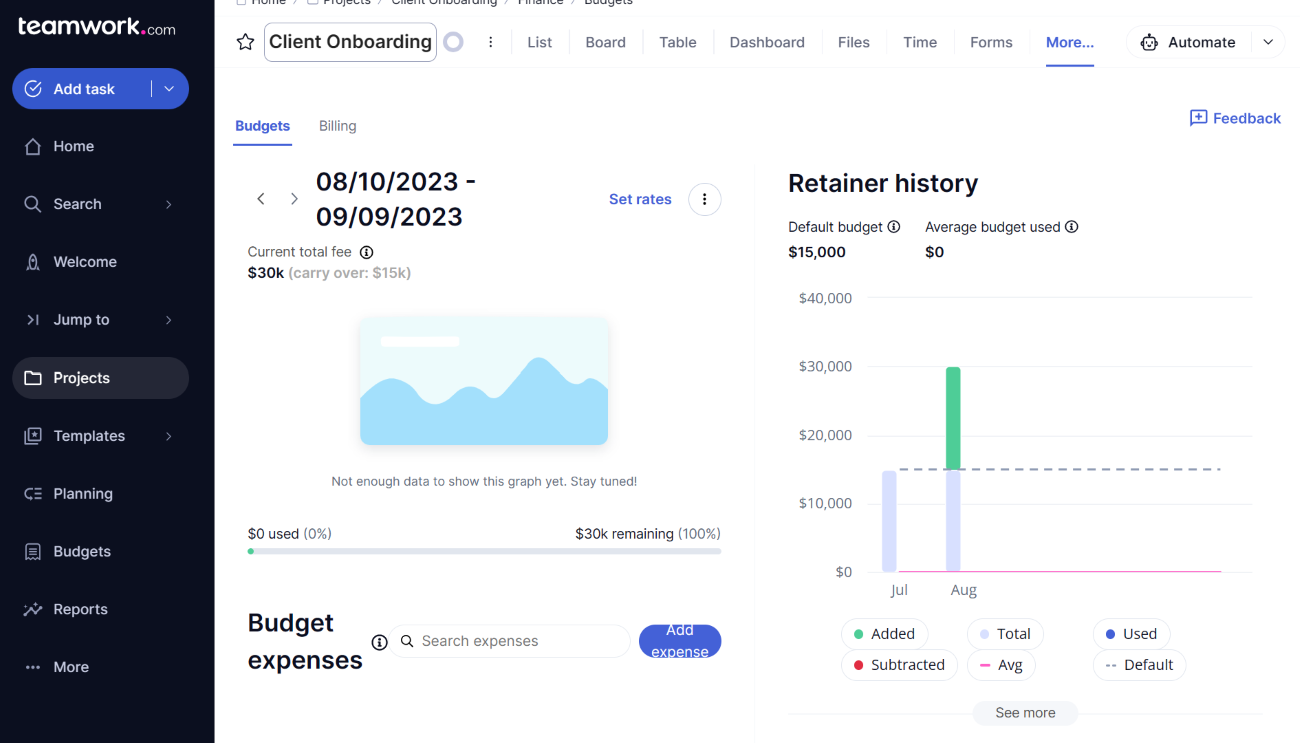
Teamwork is tailor-made for client service agencies, consulting firms, and billable-hour businesses.

- Core Strengths: Dedicated workload management, built-in time tracking, and robust profitability dashboards.
- Pricing: Starts at $9.99 per user, per month (billed annually).
- Pros: Exceptional budget and time-tracking controls built specifically for client billing.
- Cons: The user interface can feel slightly dated compared to modern competitors.
9. Hive: Best for Analytics & Data Processing
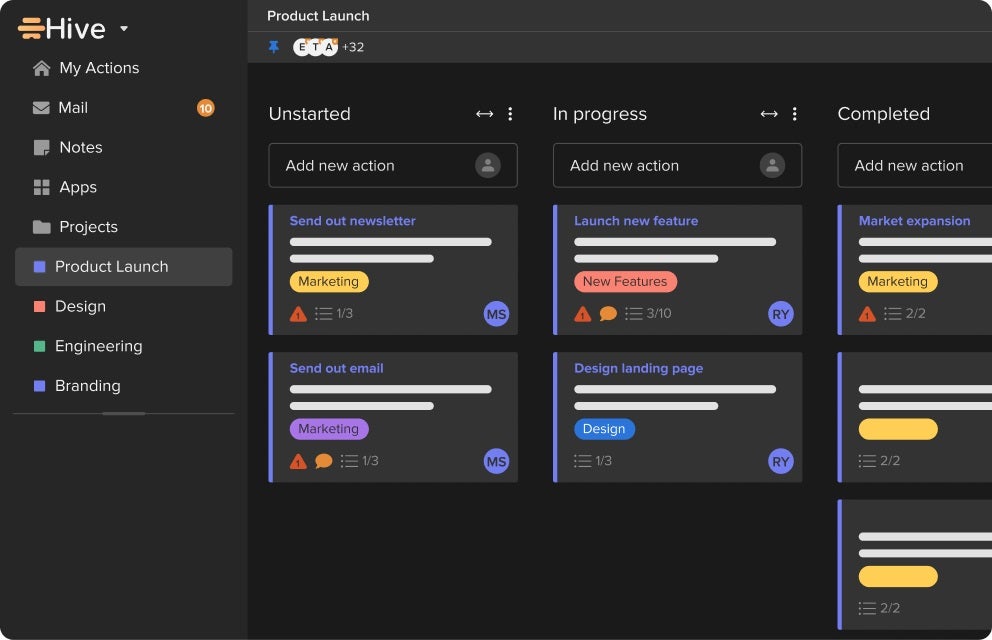
Hive is a modern project management platform designed for fast-moving teams that require deep data processing alongside standard task execution.
- Core Strengths: Powerful analytics tools, native messaging apps, and flexible portfolio views.
- Pricing: Starts at $5 per user, per month (billed annually).
- Pros: Beautiful dashboard layouts and robust reporting capabilities.
- Cons: Mobile application functionality is significantly scaled down compared to the web and desktop versions.
10. Basecamp: Best for Remote Teams
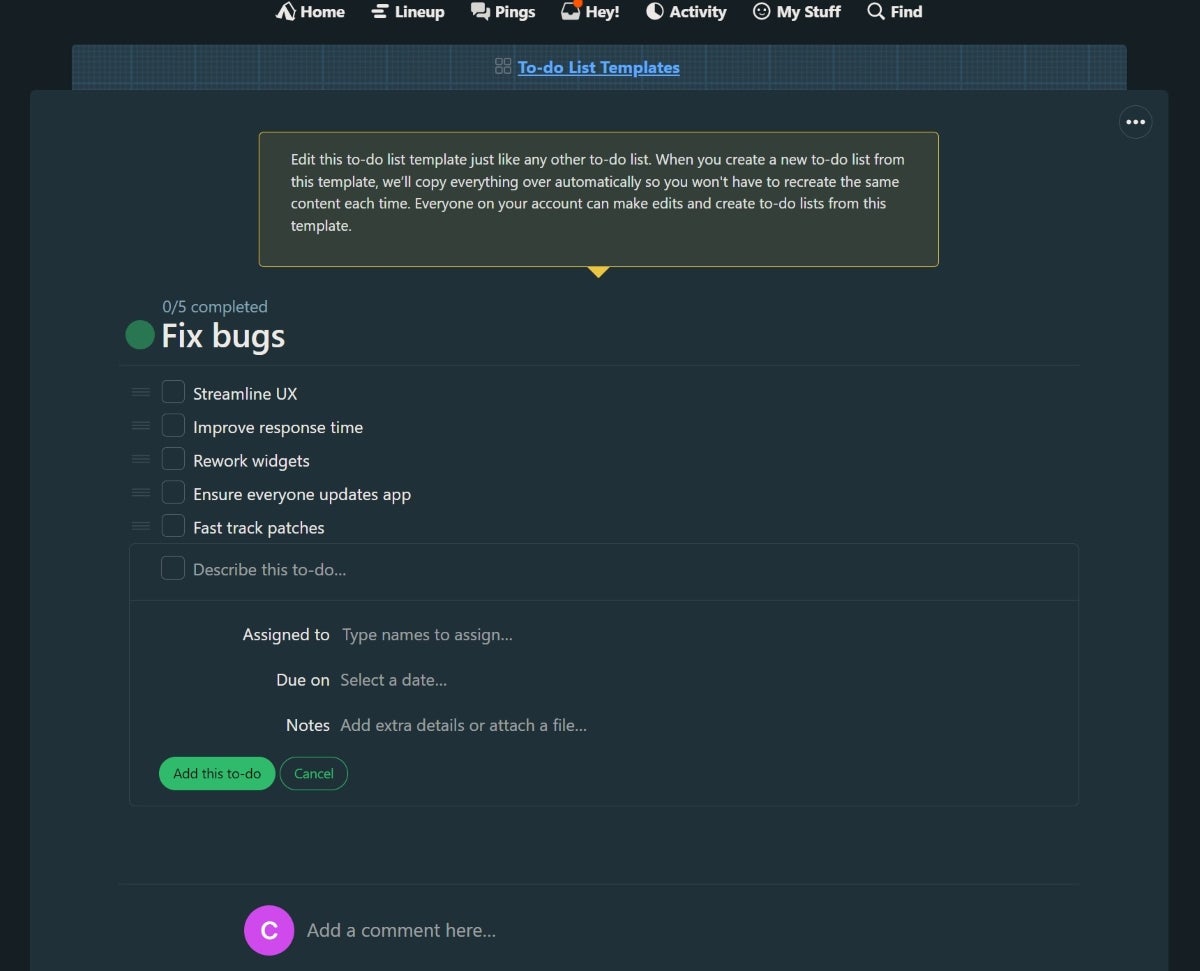
Basecamp strips away complex Gantt charts in favor of streamlined communication, making it a favorite for distributed, remote teams.

- Core Strengths: Message boards, group chats, automatic check-ins, and unified flat-rate pricing models.
- Pricing: Flat-rate enterprise plans averaging around $15 per user, per month.
- Pros: Eliminates tool sprawl by combining communication and task lists.
- Cons: Lacks granular time tracking and advanced analytical reporting.
11. Zoho Projects: Best Cost-Effectiveness
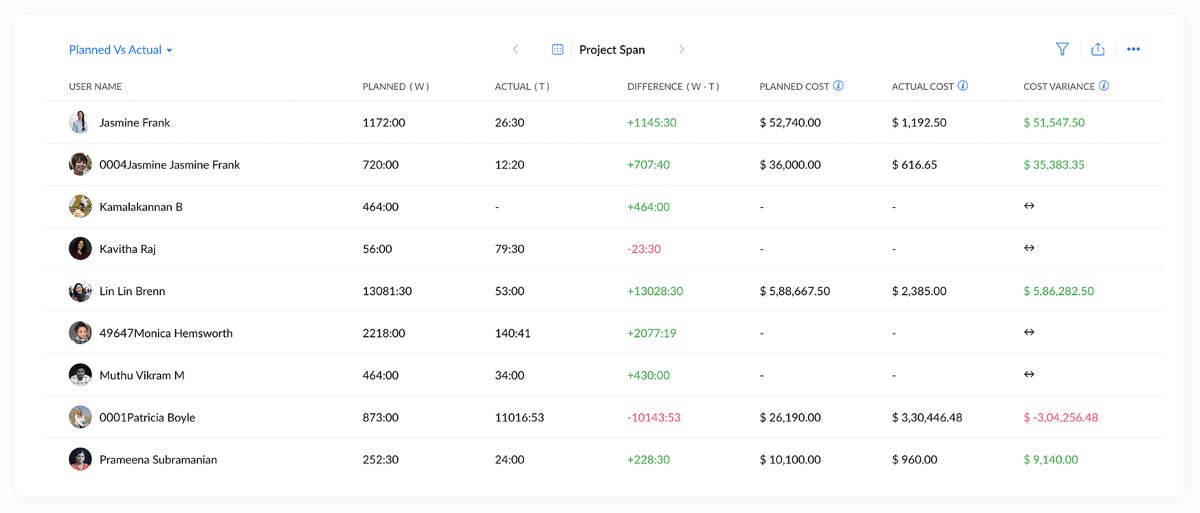
Zoho Projects offers a budget-friendly suite that integrates seamlessly with the broader Zoho software ecosystem.
- Core Strengths: Task, time, and issue tracking at a fraction of enterprise software costs.
- Pricing: Starts at $4 per user, per month (billed annually).
- Pros: Outstanding value for small-to-midsize businesses.
- Cons: Less advanced than enterprise competitors; initial setup requires dedicated configuration time.
12. Merlin Project: Best Native Mac Experience
Merlin Project is unique on this list as an application built from the ground up specifically for macOS, iPadOS, and iOS.

- Core Strengths: Advanced project planning, complex structure management, and deep Apple ecosystem UI integration.
- Pricing: Subscription model starting at $6.99 per month.
- Pros: Truly native feel, utilizing Apple interface guidelines and hardware performance efficiently.
- Cons: Separate licensing structures for desktop and mobile versions; steep learning curve for novices.
Supporting Context & Evaluation Metrics
To establish these rankings, evaluators utilized a rigorous three-pillar methodology:
- Hands-On Usability Testing: Each application was tested on modern Apple Silicon Macs (M1/M2/M3 architectures) to evaluate responsiveness, memory consumption, native app performance, and user interface fluidity.
- Feature Depth & Core Competencies: Platforms were measured on their inclusion of essential project management instruments—specifically Gantt charts, kanban boards, time-tracking modules, and automated workflow triggers.
- Ecosystem Parity: Evaluators inspected companion apps on iPadOS and iOS, ensuring that mobile workforce management remained viable without forcing users to rely solely on browser-based interactions.
| Software | Gantt Charts | Mobile App Support | Free Version | Star Rating (out of 5) | Starting Price (Annual) |
|---|---|---|---|---|---|
| ClickUp | Yes | iOS, iPadOS, watchOS | Yes | 5.0 | $7.00 / user / mo |
| Smartsheet | Yes | iOS, iPadOS | Yes | 3.8 | $9.00 / user / mo |
| monday.com | Yes | iOS, iPadOS | Yes | 5.0 | $9.00 / user / mo |
| Asana | Yes | iOS, iPadOS | Yes | 3.9 | $10.99 / user / mo |
| Wrike | Yes | iOS, iPadOS | Yes | 4.6 | $10.00 / user / mo |
| Jira | No | iOS, iPadOS | Yes | 4.6 | $7.91 / user / mo |
| Trello | Add-on | iOS, iPadOS | Yes | 4.5 | $5.00 / user / mo |
| Teamwork | Yes | iOS, iPadOS | Yes | 3.7 | $9.99 / user / mo |
| Hive | Yes | iOS, iPadOS, watchOS | Yes | 3.9 | $5.00 / user / mo |
| Basecamp | No | iOS, iPadOS | Students/Teachers | 3.1 | $15.00 / user / mo |
| Zoho Projects | Yes | iOS, iPadOS | Yes | 4.2 | $4.00 / user / mo |
| Merlin Project | Yes | iOS, iPadOS | No | N/A | $6.99 / mo |
Official Industry Statements & Expert Insights
Industry analysts emphasize that hardware-software alignment is no longer a luxury but an operational necessity. As enterprise organizations increasingly adopt Apple Silicon infrastructure, software vendors are under pressure to optimize their desktop clients.

“Mac users are accustomed to a baseline of design elegance, responsiveness, and functional continuity across their devices,” notes enterprise software analyst Marcus Vance. “When a project management tool feels clunky or relies on poorly optimized web wrappers inside macOS, team adoption rates plummet. The tools that succeed in this ecosystem are those that treat macOS not as an afterthought, but as a primary deployment environment.”
Furthermore, security and compliance frameworks native to macOS—such as advanced gatekeeping and encrypted local data handling—require PMS vendors to maintain rigorous backend compliance, a factor heavily weighed in enterprise procurement decisions.

Future Outlook
The trajectory of Mac-compatible project management software points toward three distinct horizons:
- AI-Driven Automation: Expect native machine learning models integrated into macOS project environments to predict project bottlenecks, auto-schedule tasks based on team velocity, and draft status reports automatically.
- Spatial Computing Integration: With the advent of Apple Vision Pro and visionOS, project management interfaces are beginning to transition into spatial environments, allowing project managers to manipulate 3D Kanban boards and interactive Gantt charts in augmented reality.
- Deep Continuity Features: Future iterations will likely leverage Apple’s Universal Control and Continuity Camera frameworks more deeply, enabling seamless document annotation, instant sketching handoffs from iPad to Mac, and hyper-responsive widget tracking directly from the macOS Sonoma desktop.
Organizations selecting a project management platform today must look beyond basic task lists. By matching organizational workflows—whether creative, agile, or data-driven—with the right Mac-optimized platform, businesses can secure long-term operational efficiency and sustained team productivity.